Introduction
While this is very valid for developers and enthusiasts who want to get into the WordPress scene, getting their plugin into the official WordPress Plugin Repository can become a transformative experience. It would mean sharing more than just code; it would mean sharing solutions to problems, recognitions, and credibility in one of the largest open-source environments in the world. Still, the associated submissions process can be pretty overwhelming for new users. So that you have to make sure that you have thoroughly followed all proper documentation and coding standards, then almost certainly gone through review processes to abide by the repository guidelines-you would have so much to consider.
To ensure smooth and successful launch, one should understand very well what to expect in submitting a plug-in to WordPress. Many developers think at that point that just because it is a working plug-in, it will get approved. This whole process actually consists of several stages, with each having a different set of checks and balances ensuring the quality, security, and usability of each of the plugins listed. This article is going to take you step-wise through what to expect, requirements, and preparation-documented from submissions stipulations, review process, maintenance, and promotion post-approval.
Preparing Your Plugin for Submission
Meeting WordPress Coding Standards
You should put the plugin through some cleaning and structuring, making sure that it adheres fully to the WordPress coding standards and regulations, before submitting it. The WordPress coding standards are a minimal set of rules pertaining to coding style for PHP, JavaScript, and CSS to enhance readability and uniformity among all of its projects. These rules include proper indentation, naming conventions, file organization, and steering clear from using deprecated functions. The WordPress Plugin Handbook and its reference documentation offer measures and guidance that describe how to write code according to these standards. Following these rules is not a matter of choice, for the plugin review team scrutinizes the quality and structure of code before accepting submissions. Failure in maintaining these standards may result in delay or rejection during submissions. In addition, the plugin should not contain hardcoded paths, should not report information back without consent, and should work smoothly in any WordPress environment.
Security is an even bigger aspect than just syntax and structure in WordPress standards. For a plugin blocking vulnerability types like XSS and SQL injections, all user input must be cleaned against all evil using sanitize_text_field() and esc_html() PHP functions offered by WordPress. In WordPress security is treated as one of the biggest priorities, for any plugin that has the potential to reach the repository has the potential to reach millions of users. The use of nonces for validating forms, secure handling of AJAX calls, and the protection against unauthorized access are some of the good practices. Developers ought to embrace the best security practices upfront. This, in turn, is not just to protect the users of your plugin but also your reputation as a developer and compliance with the repository policies.
Writing a Readable and Informative Readme.txt File
The readme.txt file is integral to your plugin package and fulfills multiple purposes. It directs as a public document on the plugin’s page in the WordPress directory, provides metadata bits for search functions, and helps reviewers evaluate what the plugin is doing, and more. It must strictly follow the standard readme file template given by WordPress. It consists of obligatory sections like the “description,” “installation,” “frequently asked questions,” “screenshots,” “changelog,” and the last but not least, “upgrade notice.” A well-written readme can make your plugin stand out in the repository and guarantee an improved user experience while reducing post-launch support queries.
Readme.txt is often neglected by novice developers while actually it is the most significant chance to market the plugin to the users and demonstrate professionalism to reviewers. The description should be clear, benefit-oriented, and should define what the plugin does and how it solves a problem. Moreover, relevant keywords in descriptions will make the plugin discoverable in search results. The changelog should clearly mention any updates and versions that will build trust and transparency with the user. Also, specify the minimum supported WordPress version and whether it also works with the latest release. The better self-documents are, the smoother the reviewing process and more trust for future users.
Submitting Your Plugin
Creating a WordPress.org Account and Using SVN
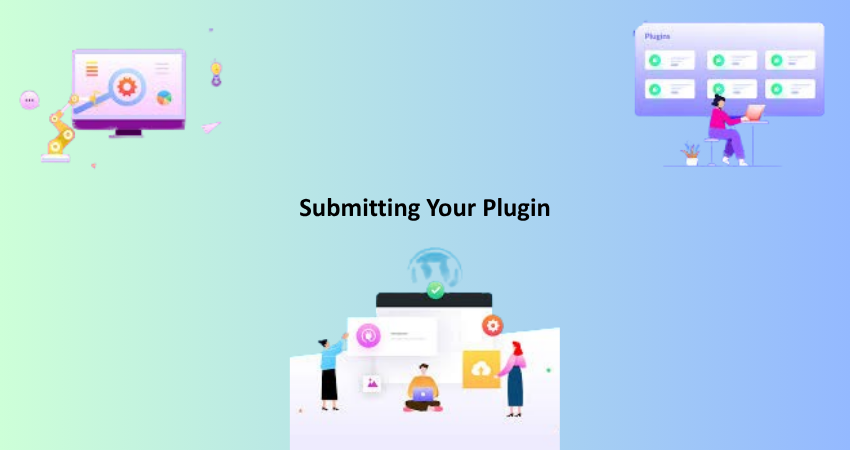
The first step in submitting a plugin is to create a free account on WordPress.org if you have not done that yet. This account helps you with developer tools and connects you to the big international WordPress community. When your plugin is ready and zipped with the right structure (usually its main plugin PHP file, other assets, and the readme.txt), you go to the Add New Plugin page, where a form is filled out with a short description and plugin file. After submission, your plugin is placed in the review queue, and an email confirmation reaches you.
After passing the initial tests, you will be granted access to the Subversion (SVN) repository, which is a version control system for WordPress. Many contemporary developers choose to use GitHub, while WordPress.org continues to maintain its plugin code via SVN. You will upload your plugin files and apply updates using this system. While it may seem like an old system, SVN is quite easy to grasp once you understand the concept of the workflow. Check out the repository URL of your plugin, add your files, commit the first version, and tag the release version. There is documentation to help you with the SVN commands, while tools such as TortoiseSVN or command line might help you in smoothing the way.
Communication With the Plugin Review Team
What happens now is that your plugin will be manually put into the queue of the WordPress Plugin Review Team. This team of volunteers inspects plugins to ensure that they comply with WordPress guidelines, are of a reasonable quality, and are secure and functional overall. The time it takes for reviews varies and can take just a few days or as much as a couple of weeks depending on how complicated the plugin is and how big the queue of reviews is. Usually, after this, you will receive an email about the outcome of your submission; whether it will pass, needs changes, or has been rejected; if the necessary changes are, the email will detail what needs changing, anything from file structure errors to security issues to insufficient documentation.
Real-time and courteous communication with the review team is important. Theirs is not just the job of maintaining the integrity of the platform; they also help you to grow as a developer. So respond to their comments professionally, with an attitude of self-improvement. Those who handle the ‘relationship’ positively often find their plugins approved faster and are helped at times. Remember, the review team wants your plugin to do well-it just needs to be sure it’s safe and valuable to the community. You can then upload your files via SVN and go to live with your plugin on the directory.
After Your Plugin Is Approved
Managing Updates and Responding to User Feedback
When your plugin goes live, that is just the beginning. You have to monitor it closely, respond to any user feedback, and push updates regularly. The WordPress ecosystem moves at a quick pace and updates to core WordPress, theme changes, or PHP version upgrades could all affect how the plugin performs. Regular maintenance assures compatibility and develops trust of users. Bugs or feature requests reported by users should be taken care of as quickly as possible leaving a positive impact on the plugin’s reputability. Don’t forget to fix the plugin’s support forum at WordPress.org and answer people’s questions there with politeness and clarity.
Most developers make this mistake; they assume that their job is done once their product is launched, but continuous engagement is, and will always be, important for long-term success. With this form of communication, timely release of meaningful updates will not only keep you in the business of wins, but give you some 5 stars that will also propel your plugin higher upwards. The WordPress.org dashboard provides download statistics, active installations, and review metrics that can help you keep track of performance. But take this concern to heart-it really is a direct line into what your audience is after and needs. Consider keeping up a change log and letting some users know about new features or fixes to enrich their communication and keep them informed.
Promoting Your Plugin and Building Your Brand
Publishing plugins on WordPress.org opens them up to the world at large. But if you want to see more downloads and adoption, you need to do it properly. Announce your plugin through the relevant social media or personal blogs and communicate it through WordPress fora. Join WordPress Facebook groups or Slack communities to share your plugin and gather feedback. Perhaps have a single dedicated landing page for the plugin, if only so people can know much more about features, a documentation section, and a support/contact form. This will make your plugin look more professional and trustworthy to the potential users.
There are also possibilities of creating community contact through personal blogs, how-tos, guest appearances on WordPress-affiliated podcasts, and even conventions. These gain not only visibility, but also paint you as a visionary in the industry. Don’t forget to add a donation or sponsorship link in your plugin’s readme if you want to monetize or defray the cost of development. The plugins in the repository have to be free, but you’re free to set up shop selling premium add-ons or offer support. With time, user engagement, and good proactive marketing, your plugin would occupy a place at the heart of the identity you’re building in the WordPress community.
Handling Plugin Deactivation, Removal or Handover
When and Why Plugins Get Removed
Although it can be rewarding to submit a plugin, there are cases in which plugins get removed or hidden from the WordPress Plugin Repository. Many reasons can result in this scenario like security vulnerabilities, long inactivity, violation of WordPress rules, or user complaints. Sometimes, the plugins are temporarily removed so that the developer can work on them; at other times, the removals may be permanent because the plugin is an issue to users in general. The plugin team may also delist plugins that have not been published for years or are out of date and incompatible with the current versions of WordPress.
Being honest and respond often acts as insurance against removals. If you are made aware of an issue, fix it quickly and contact the review team. Ignoring issues or failing to maintain the plugin is a guaranteed way to have it suspended. Thus, schedule some time to check the compatibility of your plugin every few months. Even if you don’t make any major changes, a small bug-fix update shows that you are still taking care of your plugin counts for a lot. Also, keep up with the news concerning core WordPress updates and PHP changes, as they might affect your plugin in terms of performance or security.
Transferring Ownership or Archiving a Plugin
When a plugin is abandoned by a developer, it need not die. The transfer of a plugin is possible under WordPress, and this could mean an actual transfer of its ownership or the co-management of the plugin alongside other contributors. This is more critical for a plugin, particularly if the users depend on it. Then, while requesting the approval for the transfer, the old author must work with the plugin team in conjunction with the new maintainer, who must have a WordPress.org account. After the approval is granted, the new maintainer shall assume responsibility for the plugin and look after maintenance, updates, and user support. This guarantees that truly useful plugins survive, so that there are fewer orphaned projects in the repository.
In case of complete retirement of a plugin, it should be declared closed and users should be informed about it in the changelog or plugin description, so they can make decisions and look for alternatives. All external links should be removed or redirected and update checks should be disabled to prevent confusion. Professionalism in either the handover or closure of your plugin works to your benefit and helps protect users from security threats. Transparency and good communication laying the groundwork for passing on the project or peacefully shutting it down is the key.
Conclusion
Submitting a plugin to the WordPress repository is really a technical challenge and a passing or initiation of sorts for those developers wishing to contribute to the world’s most renowned content management system. It’s not only about writing working code and following coding standards but also about writing documentation, following the review process, making regular updates, and interacting with the community. All of that can be very rewarding for you, with new opportunities evolving out of this experience; perhaps more collaborative efforts might be in your horizon, or even business growth.
When you have a better understanding of what to expect at each step, from preparing your code, writing the right readme, navigating through the SVN, getting feedback, to promoting your plugin, you ensure that you stand a good chance for success in your program over the years. Be it an ultra-simple utility plugin or an enhanced feature extension that needs instant launching for your ideas, the WordPress Plugin Repository is a launchpad. Treat the process seriously and keep learning from the feedback; and most importantly, have fun being part of this open-source movement, which is now powering over 40% of the web.