Introduction to Serverless WordPress
Serverless WordPress embodies a new paradigm in WordPress hosting in the sense of completely eliminating traditional server management. Unlike the conventional hosting model, where an end-user typically rents a physical or virtual server, a serverless architecture uses cloud-based services that automatically scale resources to demand. Under this condition, users are free from server maintenance, security patches, or performance optimization, all covered by the cloud provider; thus, serverless technology will change the rules of the game for new users by simplifying management as far as the website is concerned while improving speed, security, and reliability.
The phrase “serverless” does not mean that there are no servers; it means that the end user does not have to worry about server management themselves. With AWS Lambda, Google Cloud Functions, and Cloudflare Workers, WordPress runs on a distributed network of computing resources. This is advantageous for websites with traffic spikes because they automatically scale up during high traffic and scale down during slumps, optimizing the cost in the process. Security is another positive effect of serverless WordPress, with no single point of attack. Serverless might be an ideal path forward for those beginners who are seeking an easy-to-use, high-performance WordPress setup.
How Serverless WordPress Works
The Basics of Serverless Architecture
In simple terms, serverless architecture is essentially FaaS, in which small snippets of code are run in response to specific events. For WordPress, this means that instead of hosting the entire website in one single location, different components-the database, media storage, and PHP processing-are split into microservices and hosted on separate cloud platforms. An example is using a CDN such as Cloudflare to serve the front end, while Amazon Aurora runs the database, with PHP execution via AWS Lambda. A distributed architecture provides for the elimination of a single point of failure, further enhancing site resilience and speed.
Serverless WordPress is one such platform where auto-scaling emerges as a chief benefit. Conventional hosting plans need upgrading manually if traffic levels go up, while serverless solutions dynamically scale resources as needed. So, in case a single blog post goes viral, cloud providers will automatically scale up that computing power to face the challenges all by itself without you lifting a finger! This is one of the reasons why serverless WordPress is more economical; you only pay for what you used without necessarily paying a flat fee month to month for the capacity you never used. However, this model is another approach to hosting WordPress, requiring plugins and themes to be optimized for serverless non-performance-taxing environments.
Key Components of a Serverless WordPress Setup
Serverless WordPress installations incorporate several essential components that work together smoothly. First, their front ends are usually decoupled from the backend, that is to say, generally using a headless approach where WordPress serves as a content management system (CMS) via either REST API or GraphQL, while the front end is constructed with a very popular JavaScript framework like React or Vue.js. This decoupling helps to improve the speed of loading since static files could be delivered through a global CDN. The database is mostly hosted on a managed service like Amazon RDS or Google Cloud SQL for high availability and automatic backup, all without the risk of human error.
Yet another serverless element is the execution layer for PHP. WordPress requests are processed by on-demand AWS Lambda or Google Cloud Functions whenever they have to be triggered without an always-on server. The media files are placed within the Delve space in object storage systems like Amazon S3 or Google Cloud Storage to ensure durability and delivery to a broad range of global locations. Finally, security is improved by distributed denial-of-service (DDoS) protection, web application firewalls (WAF), and automatic SSL certificates from the cloud provider. All these make an intense environment that is optimized in most cases, scalable, and most secure for WordPress that beats the conventional hosting setting.
Benefits of Serverless WordPress
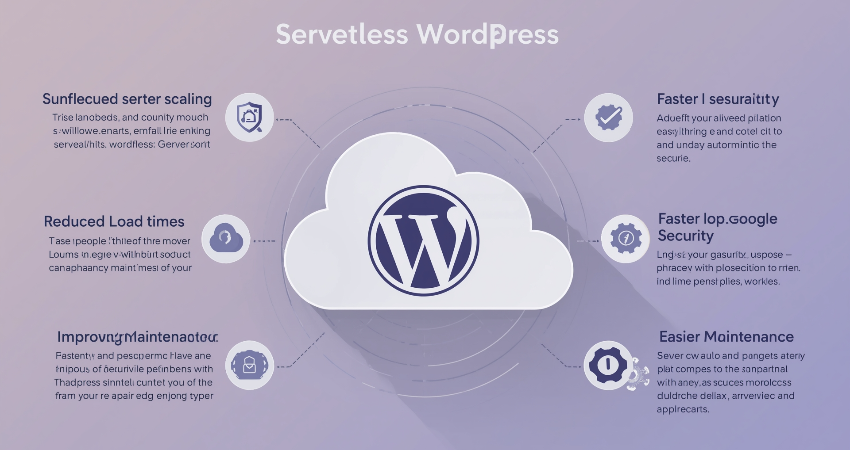
Improved Performance and Scalability
The ability of serverless WordPress to provide lightning-fast performance is among its greatest advantages. The serving of the front end is almost always via a CDN, where static assets like images, CSS, and JavaScript are cached and delivered from the closest servers to the visitor, thus decreasing latency. Serverless functions execute the dynamic content only when needed so that they conserve resources. This framework is very well suited for a global audience as content is efficient and loads fast regardless of the user’s location. The automatic scaling means that the website can also accommodate traffic spikes, such as during product launch or viral content moment, without crashing or slowing down.
It comes in the form of cost efficiency as yet another benefit. Traditional hosting charges you for providing the server space for use 24 hours in a day and 7 days in a week, even if the traffic has slowed down. In contrast, serverless computing is charged only for the time and space you have actually used; thus some substantial saving especially for smaller and medium-sized webs. A blog with a few visitors might cost a couple of dollars per month in a serverless setting, while a traditional VPS charges a set fee really irrespective of how much you use it. Such a pay-as-use model makes serverless WordPress much more interesting to startups and private projects that are constrained by budgets.
Enhanced Security and Reliability
From security perspectives, the concern for WordPress users is paramount because it is mostly a target for hackers. By its very nature, serverless architecture enhances security because there is no need to manage the server, which is usually considered the weakest link in traditional hosting. There are no operating system updates, no updating server software, and attackers cannot exploit a server which is not in their hand. So basically, security becomes the responsibility of the cloud-providers, which comes with automatic DDoS protection, regular backups, and firewalls as part of their offering. And even within the distributed environment, since WordPress does not run on one single server, compromise will not place a server down and hence will not increase the chances of downtime owing to attacks.
Another big plus is reliability. As opposed to conventional hosting systems that often suffer downtime from server crashes, maintenance, and traffic overloads, in a serverless environment, redundancy is by design – a failed cloud function is assumed by another seamlessly. Major cloud providers give uptime SLAs ensuring that websites are available a whopping 99.9% or more. The automatic backups and disaster recovery options also mean that loss of data could be considered very unlikely. For beginners who might not know how to handle their own server security and uptime management, serverless WordPress is also quite reassuring without a lot of effort.
Challenges and Considerations
Plugin and Theme Compatibility Issues
In addition to serverless WordPress advantages, there exist challenges as well, especially in relation to topic and plugin compatibility. Many of the traditional WordPress plugins are set up under the assumption that they are being executed within a normal server environment and may not perform properly in a serverless environment. For instance, file system access plugins, cron job dependent plugins, and background processes won’t work because serverless functions are stateless and ephemeral. Thus, it becomes inevitable for a new user to validate the need for plugins and look for alternatives designed particularly for serverless environments. Other themes may also exhibit poor performance if they depend on server-side rendering or complicated PHP processes.
Serverless technology is often learning. Inasmuch as it manages the server well, it also has some associated concepts such as FaaS, CDN configurations, and headless architecture. There are also these new principles the beginner has to understand or deploy to managed services that abstract some complexity away from him. Enter a Strattic-the serverless WordPress hosting provider-but for those who want total control they will have to face attitudes like AWS or Google Cloud. This learning curve predisposes intimidation to other existing platforms for example those who are not techno-savvy.
Cost Management and Vendor Lock-In
It is likely that serverless WordPress is a cheaper solution for a site with low traffic but can become unexpectedly quite more expensive for busy or complicated sites. It is billed on usage; therefore, spikes in traffic, such as from a viral post, can lead to bills being higher than expected. Hence, there is a need to keep a close observation to usage pattern and prepare budget alerts just to be on the safe side. Also, some serverless functions have cold starts, meaning that the first request after inactivity takes longer to process, hence affecting user experience. However, optimization and warm-up techniques can alleviate this issue.
Vendor lock-in can be a disadvantage all on its own. This makes it somewhat difficult to migrate serverless WordPress hosted websites from one cloud vendor to another due to the differences in their offered services and APIs. The beginner will always have to measure the pros and cons concerning convenience against flexibility in adopting a serverless option. Some find compelling arguments for working in a hybrid fashion for instance, where serverless functions can perform some task, such as image processing, while hosting the core WordPress installation on conventional hosting. This seems to be an excellent balance between portability and performance for an easier transition towards full serverless adoption.
Getting Started with Serverless WordPress
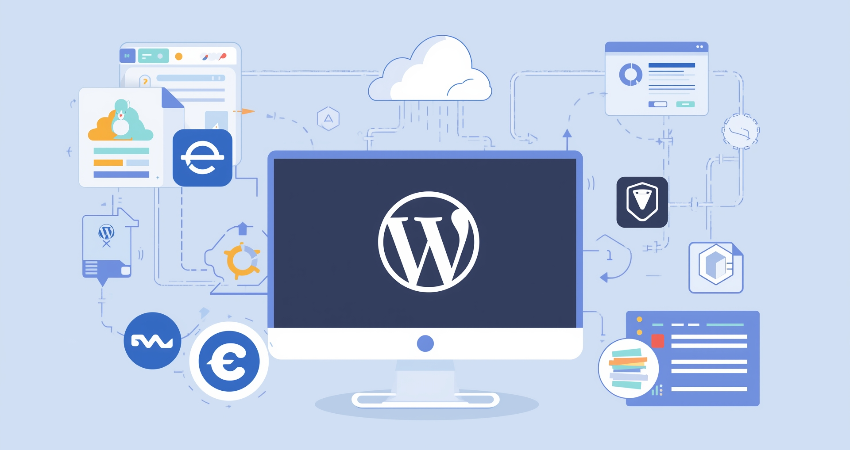
Choosing the Right Serverless Platform
For someone who’s a beginner in serverless, but choosing the right serverless platform, AWS lambda gives the option that is most popular among all other options in AWS. It collides well with another whole lot of other Amazon Web Services like RDS for databases and S3 for storage. But sometimes being complicated could be a hurdle for beginners. Google Cloud Functions brings a pretty similar type of environment with serverless, great little things for global performance, while Cloudflare Workers brings in and is best for edge applications whereby the coding is nearer to the user so that responses can be available much faster. It is the alternative case that could be a managed services like Strattic or the WP Engine’s Atlas, which can make serverless WordPress so simple-so great for having everything done at infrastructure set-up without fussing over anything to just create the content.
You should use your own judgment to weigh your options against the cost, ease of use, and scalability; that is, if you are just starting out with such cloud based networks. Again, both AWS and Google Cloud allow free tier offerings for trying out their services. The same goes for Cloudflare. Another thing to consider in comparison is the availability of tutorials and community help—many cloud providers would have step-by-step instructions on how to deploy WordPress serverlessly. Static front-end-first-using Gatsby or Next.js, coupled with a headless WordPress, is perhaps the best entry point into serverless WordPress.
Step-by-Step Deployment Guide
There are certain steps that play a very important role to deploy a serverless WordPress site. Headless WordPress install is prime. It can be done through either configuring REST API or forming GraphQL. This step separates the management backend from the presentation layer. A managed service such as Amazon RDS or Google Cloud SQL is useful for hosting WordPress databases because they come with automatic backup and scaling features. Then generating the frontend with a static site generator such as Gatsby or Next.js deployed to CDN for global-level performance. For dynamic functions like form submission, user authentication, or other interactive features, create serverless functions like AWS Lambda or Cloudflare Workers.
Automating the deployment process with CI/CD pipeline tools such as GitHub Actions or AWS CodePipeline is a requirement to have the website in sync with the changes in content. There are also performance and cost tracking with some of the monitoring tools such as AWS CloudWatch and Google Operations Suite. Of course, it is somewhat technical, but it would definitely pay off in terms of scalability, security, and cost-efficiency in the long run. Beginners could start with minor projects-first, a personal blog or something like it-then move on to projects that need to be more complex-built up and finally, as comfort grows, might be ready to build serverless technology into their state-of-the-art WordPress environments.
Conclusion
Serverless WordPress is the future of website hosting. With it comes the promise of scalability, security, and performance that all users, whether beginner or expert, can command. It frees all end users from the burden of managing their servers and makes them automatically even more able to focus on creating rather than troubleshooting. Of course, certain problems may surface, ranging from plugin compatibility to cost management; however, most of the benefits really outweigh disadvantages for many use cases. It will become even easier for the average user to adopt as the technology matures and offers more capacity to reach everyone with high-performance web hosting.
The entry point for a beginner into serverless WordPress is more like learning and hands-on tinkering with it. Progressively, what begins as a few small projects, some free-tier experimenting, and following tutorials will build concrete confidence and expertise. The full repair model, or a little bit of server platform on the site, doesn’t matter; there is even more flexibly productive use of energy in high-performance implementing that makes it more worth the time. Often proving that the best server is no server at all, WordPress customers can future-proof their sites while enjoying faster load times, stronger security, and lower costs.