Introduction
Web Development has proved to be a very dynamic world in the last few years. The single-page applications (SPAs) and static frontend frameworks like React, Vue, and Gatsby allowed developers to decouple the front end from traditional content management systems. WordPress is a well-known monolithic CMS that has adapted to these new trends via the introduction of the WordPress REST API. The API provides new opportunities for developers to creatively use WordPress in headless modes for delivering content dynamically to modern and high-performing frontend applications. With the introduction of the WP REST API, developers can design powerful, scalable SPAs and static sites bursting with content while still taking advantage of the user-friendly backend that WordPress provides.
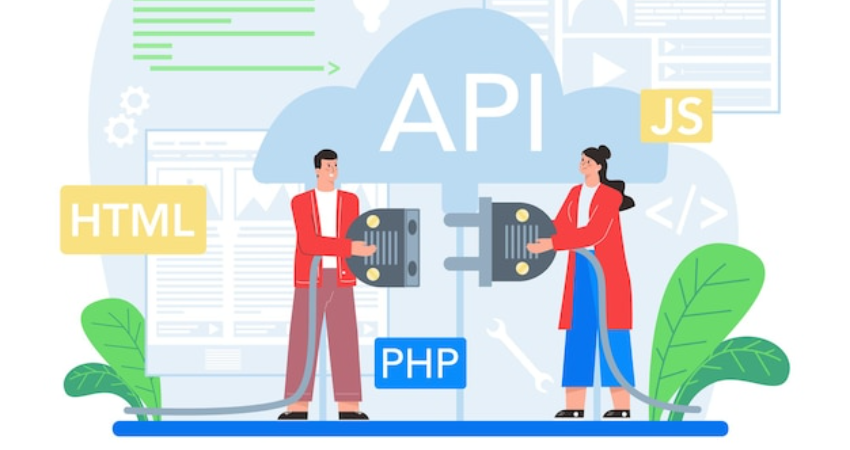
The WP REST API is a bridge between the WordPress back end and any external application. It exposes WordPress data in a format that is easy to consume by JavaScript-based front-end framework applications, namely JSON. It allows the developer to pull posts, pages, custom fields, users, and many other data types from WordPress seamlessly. In doing so, WordPress could serve as the backbone for SPAs into which static pages populate for the benefit of increased performance, flexibility, and user experience. In this article, we will look into the core capabilities of the WP REST API, the integration with such SPAs and static sites, the pros and cons of both approaches, and some real-world cases of success. By the finish, you should have a good picture of how WordPress can serve as a potent content engine for the modern web.
Understanding the WP REST API
What is the WP REST API?
The system is built using WP REST API, which is part of REST-based endpoints that WordPress understands to help external applications access the data and transact with it. This feature is introduced from WordPress version 4.7 onwards and provides that the access to and the manipulation of the content in WordPress will be possible without making too much effort and through some standardized protocol accessible through HTTP requests. It exposes the following operations: GET, POST, PUT, DELETE, so every CRUD function is available according to the post, taxonomy, user, and many more, thus making it a perfect abstraction of one’s front end away from the back end of the site with the ability for developers to build a custom interface that pulls the site data dynamically in a structural way without a traditional way of building WordPress themes.
The WP REST API renders contents in JSON so that data-enabled front-end frameworks could quickly fetch and consume them. This indeed helps in developing SPAs and static websites with rich dynamic data yet loads quickly and boasts good UI responsiveness. Developer-provided extension of the API allows them to build specific routes and endpoints, tailor-fitted to the application’s needs, making flexibility crucial in building a customized solution, which traditional WordPress themes or templates cannot provide.
Key Features of the WP REST API
Easy to use is one of the strongest attributes of the WP REST API. Developers fetch WordPress content through simple HTTP requests and integrate it with any frontend application. The API supports authentication through OAuth, Application Passwords, and JWT-all important for secure operations like the creation or updating of content. It also looks at the capability of WordPress and its permission system to ensure that an appropriate set of users gets to access or modify some specific data.
The best feature is extending the API. The developer has the option to register custom routes and/or custom endpoints that expose additional data or functionality in extra cases with regard to custom post types or with taxonomies or plugin data that are not exposed through the default endpoints. The API accepts such parameters for filtering, pagination, and embedding for fine control over the data returned. All these features place the API as a strong solid base for headless WordPress implementations, which can grow into a wide range of uses.
Integrating with Single-Page Applications (SPAs)

How SPAs Work with the WP REST API
SPAs, unlike traditional web applications, are applications that deliver a reference HTML page and dynamically update its contents without reloading the browser. This is possible with the aid of JS frameworks like React, Angular, or Vue for state and user-interface management of the application. An SPA will consume backend APIs for any data retrieval or alteration; hence the WP REST API is a suitable alternative. The SPAs received content, updated user profiles, submitted forms, and so on without going for a full-page reload, by consuming various endpoints exposed by the WP REST API.
Thus, the core aspect of SPA integration with the WP REST API mainly concerns a mechanism to fetch data via HTTP requests using either plain JS through fetch() or libraries like Axios. In this case, a React component calls up the API for a list of blog posts and renders them onto its own layout. This seamless connection enables SPA and WordPress for a dynamic and responsive experience while keeping the strengths of publishing in WordPress. Optimized in itself, this architecture adds another layer of user experience performance by loading only required data, minimizing bandwidth and speeding load times.
Benefits of Using WP REST API in SPAs
The application of WP REST API allows several advantages to the SPAs. One of the main is flexibility. Developers are not limited by WordPress templating anymore and are free to build custom frontends that meet specific requirements for their projects. This in turn leads to the possibility of better graphic design, user experience, and accessibility since developers are in control of HTML, CSS, and JavaScript in rendering the site. In addition, SPAs can serve smoother transitions for navigation and interactions, keeping user satisfaction and engagement high.
Another important benefit is separation of concerns. This means frontend back-ends and teams can work independently for different parts of the application. It means a faster development cycle and better versioning-control and deployment workflows for the decoupled frontend and backend application development. Apart from this, SPAs using the WP REST API can call other APIs and services, including e-commerce, analytics, or third-party APIs, to deliver a much more personalized experience. So really, it is an architecture from which one can scale as well as build for the future in modern web applications.
Supporting Static Frontends with Headless WordPress
How Static Site Generators Use WP REST API
Big, static site generators such as Gatsby, Next.js, or Eleventy will pre-render HTML pages at build time to create an extremely secured and speedy website. They retrieve their content from different APIs, including the WP REST API, and convert them into static files-since it allows managing dynamic content while availing of the performance of static websites. So, in a way, WordPress acts as the content hub, while the SSG is used for computations when launching the frontend rendering and deployment.
In order to bring in data while triggering the particular build phase, SSG can use some script or plugins to extract data through WordPress REST API. One such source plugin is the WordPress source plugin for Gatsby, which fetches content from the WP REST API and feeds it within the GraphQL layer. This makes it possible for developers to create React-based static sites that utilize WordPress as a back-end, leaving the applications fast and SEO-friendly. Lastly, the site decoupled architecture enhances great scaling on serving CDN static files without requiring any synchronization with a live WordPress server.
Advantages of Static Frontends with WordPress
Static frontends powered by WordPress and the WP REST API feature several significant advantages. First and foremost, however, is performance. They load almost instantly to high traffic visitors through CDN serving because static pages are pre-rendered and served up from the clouds. This enhances user experience and can also improve search engine rankings. Static sites are inherently secure because they do not connect to the backend during runtime. The attack surface is minimized and weakens the possibility of losing data or exploits.
The most notable improvement is the workflow. In headless systems, the content author can create posts/pages and upload media via the well-known admin screen of WordPress, while the developer builds a modern front-end experience. Separation of concern facilitates collaboration between “the best tools for the best parts” of the system. Even better, static frontends could be hooked up to CI/CD pipelines, automated deployment, and any other modern DevOps practices, thus increasing agility and maintainability.
Challenges and Considerations
Common Challenges When Using WP REST API
That WP REST API definitely has its advantage but at the same time it poses these challenges. Authentication is one of the key problematic areas, especially newly emerging. Securely authenticating users and handling sessions in a decoupled architecture can get quite complicated and involved especially when dealing with private or restricted content. Here is where a developer would need to think up and put in place proper authentication methods such as OAuth or JWT and secure token management for protecting user data and API endpoints.h
Dynamic features such as searching, filtering, and pagination are also other challenges. Although the WP REST API provides such functions, it creates a requirement for more code on the front end as it is to be applied in SPAs or static sites. Developers should also find a way of managing content updates as applied in static sites, where some changes may require rebuilding and deploy the same site. Caching, invalidation, and real-time updates can turn out to be cumbersome and complicated to manage, especially when applied at a larger scale. Therefore, recognizing all these limitations upfront and planning accordingly is vital for successful implementation.
Best Practices for a Smooth Integration
Developers need to stick to the best WP REST API practices if they are to navigate through these barriers. That is secure authentication and keeping all critical endpoints protected from unauthorized users. All data should be transmitted using the HTTPS protocol with a framework to enforce rate limiting for abuse protection. Always validate and sanitize any data which has been sent to and received from the server on both sides of the API against injection attacks or other possible unknown vulnerabilities.
Yet another principle of good APIs is that they should structure requests according to APIs’ own interests. Use them Shopify style for all their filtering and pagination because this helps in minimizing data transfer costs for the needful fields. Reduce server load and improve performance via caching solutions. One technique is using webhooks or build hooks to trigger content rebuilds for static sites whenever changes are made. Monitor your APIs and logging traits to identify issues for improvements in the long run. Following such best practices will allow you to build robust, secure, and high-performing applications using the WP REST API.
Real-World Use Cases and Success Stories

Examples of SPAs Using WP REST API
One of the things several businesses and developers have done with SPAs backed by WP REST API is being able to pull off success stories. Using settings that access WordPress content through APIs for an even faster frontend delivery and with fluid navigation, sites in the eCommerce segment benefit from WordPress content for product browsing through custom frontend frameworks built by WordPress programmers for cart management and checkout.
Another type of application includes membership sites and e-learning sites. Such applications have user login, personalized dashboards, and dynamic content. With the WP REST API, developers can establish built-in experiences in which users can log into access progress and content that do not require full-page reloads while interacting with it. The API is hence quite flexible and scalable to support many interactive applications that require real-time data and complex workflows across different business sectors.
Static Sites Leveraging Headless WordPress
The static sites are on the receiving end of headless WordPress with the WP REST API in play. Marketing websites, blogs, and documentation portals rely on static site generators such as Gatsby or Next.js to realize high-performing frontends pulling content from WordPress. This combination provides an exquisite balance between dynamic content management and the performance of static delivery, making it just the right fit for SEO-driven projects or heavy traffic sites.
Agencies and freelancers often prefer this architecture for providing their clients with scalable and maintainable solutions. They can give their clients a familiar editing experience via WordPress, while delivering the latest design possibilities and development techniques on the frontend. Many developer blogs and conference websites have started using this architecture that shows the flexibility and power of WordPress with static generation. The adaptability of headless WordPress will surely be on the rise with the progression of tools and frameworks.
Conclusion
Most WordPress has been extended into an improvement known as WP REST API, which enables WordPress to go far beyond being a content management system for websites. For example, it will allow developers to create modern rich experiences while using the power of WordPress’ content management by integrating SPAs or static frontends. The WP REST API meets all those flexible, scalable, and controllable needs to build modern digital assets, whether a fully dynamic React application or a blazing-fast Gatsby static site.
Going to headless WordPress with the WP REST API is not just a fad; it’s a strategic move in preparing for the future with development. As users expect more speed, interaction, and customization, developers need tools that could accompany them. The WP REST API has the potential to transform WordPress from a monolithic approach to a full-fledged content engine for a modern web application. With the right planning and execution, your next project might just be a ‘next-generation facility’ powered by this API.