Introduction
In fact, WordPress is miles ahead of where it started as a basic blogging platform. It is indeed a highly powerful, flexible, comprehensive content management system that powers over 40% of sites on the web. Yet, as modern-day developers demand more innovative and productive ways of handling data, they will find WordPress combined with state-of-the-art technologies-like GraphQL-which allows clients to fully specify what data they need and how much of it. GraphQL makes it possible to acquire that hierarchical, complex data structure through one request; instead of multiple endpoints with REST APIs for different types of content, it is more geared toward nested data retrieval. It obviously comes in handy for headless WordPress setups where the front-end is decoupled from the backend and developed with modern JavaScript frameworks such as React or Vue, even Next.js.
GraphQL support for your WordPress site opens new frontiers with respect to performance, flexibility, and developer control. Whenever it comes to developing custom themes, mobile apps, or other platforms, GraphQL can tremendously ease the operations in getting data into and out of a WordPress site. However, with any transition, one has to grab some understanding related to plugins, schema configuration, authentication, and integration best practices. This guide will take you through the process step-by-step—starting from what GraphQL is to full-fledged implementation in your WordPress environment. By the time you finish this guide, you would have been equipped with tools, knowledge, and, most importantly, confidence to use GraphQL as a primary coordinate within your WordPress development workflow.
Understanding GraphQL and Its Role in WordPress
What Is GraphQL and Why It Matters
GraphQL is an API query language, designed first by Facebook back in 2012 and open-sourced in 2015. REST APIs would usually have their own endpoints for the sake of multiple documents needing two much sometimes and too little other times. But with GraphQL, it’s up to developers to decide what data they actually really want-nothing more, or less. That’s why it minimizes payloads and the number of network requests while resulting in cleaner and more efficient code. In the context of WordPress, it’s a revolutionary advancement, especially in headless CMS solutions where WordPress is just an internal backend for content and other technologies like React, Vue, or Angular provide the front end.
One of the cardinal advantages of GraphQL is softness and correctness. It is the developer’s schema and enumerates the definitions for data needs in that schema as queries and mutations. This schema is the contract between the client and the server, stating the content types, fields, and relationships that can actually be requested. When implemented in WordPress, GraphQL makes it possible for the developers to escape the boundaries of REST API and build even more sophisticated, and performant experiences. GraphQL minimizes latency, unnecessary data over-fetching, and ultimate bandwidth consumption in scenarios involving modern applications with dynamic content and real-time updates. In other words, by providing energy into high-engagement and interactive digital experiences, GraphQL has determined its importance in the key-building blocks of high-performance WordPress architecture.
Why Use GraphQL with WordPress
WordPress is especially well suited for customization by developers who would like to implement decoupled or headless systems. In typical WordPress scenarios, the theme layer is entirely bound to the back-end, restricting any room for using modern technologies. Essentially, GraphQL allows developers to decouple CMS from the presentation of the content, mainly used in projects where the front end is rendered in JavaScript frameworks or sometimes mobile apps digesting the same back end. The GraphQL layer makes these complex and relational queries easier, therefore reducing API calls to render out a page or feed the app.
Another main advantage would be the developer experience. When working with things like custom post types, taxonomies, or advanced custom fields (ACF) that feature deeply nested data, WordPress’s REST API proves to be somewhat painful. In GraphQL, on the contrary, developers might ascertain how to fetch categorical relationships using one single query. This decreases the need for custom API endpoints or cumbersome client-side aggregation. Therefore, using such an efficient querying method saves a lot of time and performance trouble for teams dealing with JAMstack or some serverless architecture. To sum up, GraphQL makes WordPress powerful, scalable, and future-fit attributes that have started to become essential in today’s fiercely competitive digital ecosystem.
Installing the WPGraphQL Plugin
Setting Up WPGraphQL
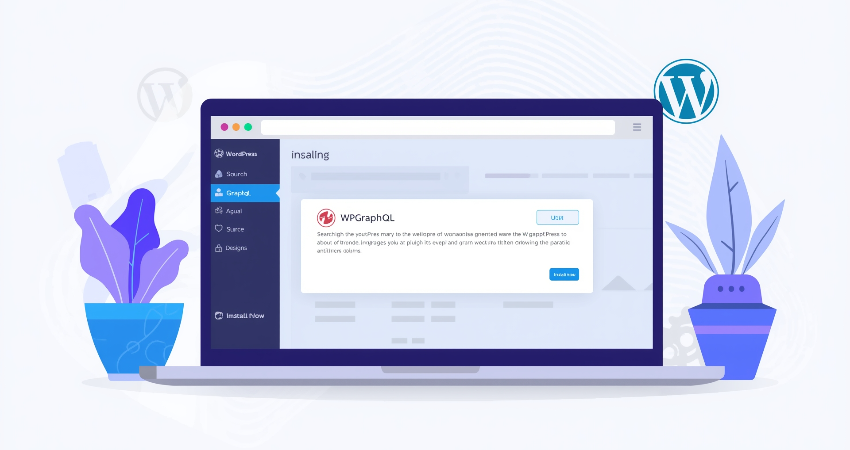
The most popular approach for enhancing GraphQL functionality on WordPress websites is by employing WPGraphQL plugin. It is a completely open-source plugin developed purposely to give WordPress a GraphQL API. In order to use it, first go to your WordPress admin dashboard and look for the “Plugins” menu option. There you click on “Add New,” then search for WPGraphQL and install the plugin through WPGraphQL contributors. Once installed, activate it. You now have a powerful GraphQL layer through the endpoint /graphql at your site. This will be the primary endpoint for all GraphQL queries.
Automatically, after activation, the WPGraphQL will generate a schema that would comprise all the standard WordPress data such as posts, pages, media, users, menus, etc. You can also access and test your query through GraphiQL IDE, which is a built-in visual interface to the plugin. It could easily explore the schema, test queries, and debug responses-kind of interface. You will find GraphiQL under GraphQL > IDE in the dashboard. For more complex setups, for instance, WPGraphQL for Advanced Custom Fields or WPGraphQL for WooCommerce, you can extend the schema by using these plugins. With each seamless extension, you can use query even for your most customized data structures.
Configuring Basic Query Access
By now, when WPGraphQL is installed, you can execute GraphQL queries on your WordPress site through a single endpoint: your-custom-domain/graphql. You can use these queries right in GraphiQL or any other external interface like Insomnia and Postman or an Apollo Client. Start with composing a very simple query to fetch very basic post data, such as:
graphql
Copy
Edit
{
posts {
nodes {
title
date
uri
}
}
}
With this query, you fetch every post title, the date and time it was published, and its corresponding URI-nothing too grand. Now you can use that data in your frontend application or while creating a custom feature. WPGraphQL is compliant with the role and permission systems of WordPress, meaning it allows only queries which expose data accessible to the current user. To allow public access to specific data, either set up the configuration of your site or use custom capabilities. Such a configuration allows you to pull content from WordPress directly without the overhead of traditional RESTful methods if you are implementing a static site using Gatsby or a single-page application (SPA).
More often than not, all that server-side configuration would not be required. Unless- The hosts do not allow POST requests or restrict the maximum size of all payloads, possibly requiring certain settings to be changed in order for truly full usage of GraphQL. Popular hosting environments like WP Engine, Kinsta and Pantheon usually support out-of-the-box WPGraphQL. For developers using WordPress on local machines, such tools as LocalWP or DevKinsta enable fast and easy testing. Pretty much, getting started in WPGraphQL is extremely easy with tons of room for customization with very little setup.
Extending GraphQL Capabilities with Custom Fields
Integrating WPGraphQL for Advanced Custom Fields (ACF)
Advanced Custom Fields (ACF) has become a de facto standard for WordPress developers who want to expand the rich data fields available for use within posts, pages, and custom post types. Sadly, however, such fields are out of the box from WPGraphQL. Use the wp-graphql-for-acf plugin to easily solve this. The plugin has public support for all your ACF fields in GraphQL. Just make sure ACF is installed and activated – be it free or Pro – on your WordPress site, as well as the WPGraphQL for ACF plugin. After that, every ACF field that you own and connects to a post type compatible with GraphQL will show automatically for you within your GraphQL schema.
Thus, you can run queries that include ACF data but without having to write custom code nor create additional API endpoints. For example, if you have created a post type with a “Featured Quote” field, you can now include it in your query as follows:
graphql
Copy
Edit
{
post(id: “example-post”, idType: URI) {
title
acf {
featuredQuote
}
}
}
It is extremely useful seamless access to the custom fields for headless WordPress applications since the front-end frameworks rely heavily on the structured data. WPGraphQL for ACF further respects the visibility settings within ACF, thereby ensuring you only expose what is intended. Thus, syncing your custom fields with GraphQL helps you keep the content structure flexible while empowering your front-end to pull exactly what it needs.
Creating Custom Post Types and Exposing Them in GraphQL
In this way, seldom can you have to deal with default post types and create your own, like in the case of “Projects,” “Testimonials,” or “Events.” The registration of custom post types in WordPress is really easy through a code option or a plug-in like CPT UI. To make such post types available for GraphQL, they must be registered for GraphQL support; you typically do that by simply adding the ‘show_in_graphql’ => true argument when registering the post type in PHP. Here is an example of this:
php
Copy
Edit
register_post_type(‘event’, [
‘label’ => ‘Events’,
‘public’ => true,
‘show_in_graphql’ => true,
‘graphql_single_name’ => ‘Event’,
‘graphql_plural_name’ => ‘Events’
]);
This is what the Event does in its own GraphQL schema for querying: it makes your Event type enable in the schema. You can now run GraphQL queries for title, date, custom fields, or even the related taxonomy terms. Combine this with ACF and your custom post types will have access to very complex, rich data-all through GraphQL. Such a setup is quite useful for larger projects where managing the content type becomes essential. Be it a portfolio, a job board, or an e-learning site, exposing custom post types through GraphQL always guarantees that the data model is fully flexible and ready for frontend consumption.
Securing and Optimizing Your GraphQL API
Authentication and Role-Based Access Control
An API security is indispensable. GraphQL is no exception. Although the /graphql endpoint may be open to the public, this does not imply all data should also be public. WPGraphQL honors WordPress’ native capabilities and roles and thus protects the data by allowing access only to appropriately permitted users. For example, anonymous users cannot access unpublished posts or user data unless you specifically override this permission. Plugins such as JWT Authentication for WP REST API or WPGraphQL JWT Authentication can be used to secure tokens for API clients so that access can be further controlled.
The authentication tools with the above will allow your front-end apps, perhaps built on a framework such as Gatsby or mobile, to interact with users, verify version sessions and then query for restricted data. Moreover, some fields could also be viewed exclusively within GraphQL by an editor, contributor, or subscriber, based on their entitlement roles, protecting the crucial information while giving freedom to the logic of your application. If your site manages personal data or content that can only be viewed with membership, no fuzz about it: you will need to apply the necessary layers for authenticating persons. Always validate tokens at the server, sanitize inputs, and prevent mutation fields from exposure that become a target in case of misconfiguration.
Performance Tips and Query Optimization
Although GraphQL is the perfect alternative for data transfer reduction, cases arise where a complex or highly nested query can kill your server by consuming it in queries. Several anti-usage mechanisms are available under WPGraphQL, one of which is a query depth limitation, implemented using plugins or server-level configuration. By doing so, you limit how deep one query can go, preventing either of the two issues from happening: abuse or accidentally induced performance bottlenecks. Third, the number of nodes per query might have counts, avoiding thousands of records returned by a single request. You can also use built-in pagination in the GraphQL schema: first, last, before, and after arguments-to load your data incrementally.
The inherently dynamic nature of GraphQL queries and their requests means that traditional caching mechanisms are less effective. However, Apollo Client does offer caching capabilities on the front end, while WPGraphQL Smart Cache includes persistent caching layers on the WordPress server. The combination of these strategies drastically reduces the query load and improves page load time. And don’t create generalized queries: Only have the fields you need. The beauty of using the GraphQL tool is in its accuracy. With proper performance guardrails in place, your implementation of WordPress GraphQL is scalable and provides blazing-fast end-user experiences.
Conclusion
Endowing your WordPress site with GraphQL support is a tactical upgrade in tune with modern development practices: speed, flexibility, and efficiency. One of the other obvious changes that the GraphQL API brings with it: moving data querying away from REST’s traditional approach to an orderly and efficient mechanism where front-end developers essentially state what they need. The performance is, therefore, enhanced, and the payload sizes are reduced. And WordPress has now become a robust headless CMS with the aid of plugins like WPGraphQL, allowing developers to create jaw-dropping super-fast and dynamic front ends in React, Vue, or even in native mobile apps.
In addition, using GraphQL into your workflow allows a more modular and decoupled architecture. This modularity encourages reusability and maintainability on one hand and leads to increased scalability for enterprise-level applications on the other. As more levels of developers and businesses take to a headless WordPress setup, GraphQL may become an integral part of that ecosystem. Whether you’re working as a freelancer fine-tuning your portfolio, a startup launching a performant site, or a well-oiled large team where efficient data flow is crucial, GraphQL can help keep your WordPress site relevant in the future and positioned well onto the current cutting-edge web development practices.