Introduction
WordPress Multisite is a great feature but tends to be utilized sparsely. Relax. WordPress Multisite was built to assist users in managing multiple websites under one installation. It is the best arrangement for companies, colleges, or bloggers managing more than one site. But until now, the masses were very hesitant to use Multisite due to their scant knowledge about its working mechanism, limitations, and compatibility with different plugins. This all-inclusive guide explains everything about WordPress Multisite and its plugin compatibility to help you take a more educated guess on your own web structure.
If you are a developer, business owner or content creator, knowing how to use WordPress Multisite will help you in streamlining your work and save time. Yet the learning curve-straight up to working with plugins-is very steep. Some great plugins will work seamlessly throughout networks while some will require manual tweaking, and still others won’t support Multisite at all. This article aims at examining these fine points and thus endowing you with a complete understanding of the right tools and practices to build, grow, and fine-tune your whole multisite network.
What Is WordPress Multisite?
A Centralized Management System for Multiple Websites
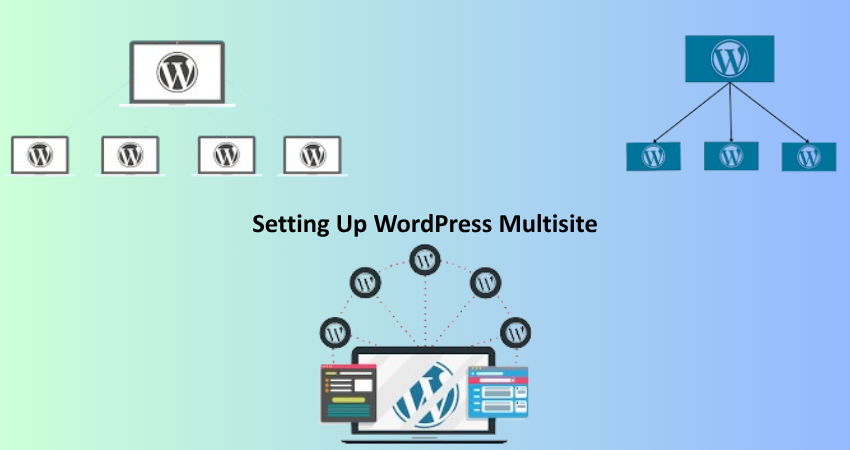
WordPress Multisite allows multiple sites to be run under a single Word Press installation. Instead of installing Word Press each time for every new site you want to create, you set it up just once on a server and enable a multisite toggle. You would have probably created new sites in your network as required. All sites are based on the same core files with themes and plug-ins, but operate as separate independent websites with their unique domain or subdomain names. It has very advantages for enterprises, educational institutions, and digital agencies that operate above networks.
With a single-sighted approach, the centralized WordPress Multisite advantages of administration come. A Super Admin from a single dashboard can be able to manage all the sites that are within the network. It also acts on the updates of word press core, themes, and plugins once for all network sites. This ensures that all properties have been simultaneously maintained without compromising consistency. However, this setup does carry certain additional drawbacks, particularly in terms of how user roles and permissions are treated and how certain plugin functionality does not scale well.
Use Cases and Ideal Scenarios for Multisite
Multisite is not for everyone, but it does work wonders for certain use cases. Schools often employ Multisite so that different departments or faculties can have their own web places under a common domain structure. In the same way, large companies might prefer to give each branch, service, or region its own site, while retaining overall control. Bloggers or content creators with niche sites can manage all of them under one umbrella using Multisite, simplifying their management and cutting down on hosting costs.
One of the most common applications of Multisite is for web development agencies offering website creation as a service. This allows a rapid setup of client sites bundled with a coherent stack of plugins and themes. Additionally, SaaS platforms may work with their own version of Multisite to deliver tailored sub-sites for every user. However, with all the advantages of Multisite come some pressing needs in terms of planning, particularly regarding plugin compatibilities and network architecture. If those two features are poorly managed, it could lead to very serious plugin conflicts, security vulnerabilities, and performance hits to every site within that network.
Setting Up WordPress Multisite
Enabling Multisite on a Fresh or Existing Install
Setting up Multisite requires a specific procedure according to the standard WordPress installation. If you are beginning everything, now would be an opportune moment to use Multisite so that it can be implemented before content or themes are added. Existing WordPress sites may also enable Multisite, but this requires backups and caution because it may lead to data being lost. The Multisite will be activated on editing the wp-config.php file and adding the line define(‘WP_ALLOW_MULTISITE’, true);. Once saved, the file refreshes the dashboard to include a new menu option under Tools titled “Network Setup.”
There you can choose how you will structure your network e.g. subdirectories or subdomains (site1.yourdomain.com for example). Remember, for subdomain setups, you would need wildcard DNS entries, while subdirectory setups are based on permalink compatibility. When the choice is done, WordPress produces further code snippets that need to be added to wp-config.php and .htaccess files. After applying these changes and logging back in, your Multisite Network will be active, and you can begin adding new sites directly from the Network Admin dashboard.
Managing Sites, Users, and Network Options
When you go live with your Multisite network, the admin interface has a little change. You now have a “Network Admin” area where you oversee all of the sites, themes, and plugins instead of an admin for each site. The Super Admin creates new sites, assigned users to those sites, and sets global theme and plugin configurations. Each site should also have its own local dashboard for admin users, but that access and control depend on the roles assigned to users.
User management becomes rather interesting in a Multisite environment. In other words, it cannot be such that by signing in, a user is added to that WordPress site. A user can be an Administrator on Site A and be only a Subscriber on Site B. However, one must configure user registrations properly so as to avoid confusion or unauthorized access. Aside from that, Super Admins control which themes and plugins are available to site-specific administrators, granting the network owner a fine-tuned control overdrives the whole consistency and security of the multi-site platform.
How Plugin Support Works in Multisite
Global Activation vs Site-Specific Activation
Know this one cardinal one, that is the difference between an all-network-activated plugin and a site-specific one. Installation of any plugin by super admin is either activated for the entire network or an option for each site admin to activate. The plug-in becomes automatically available and running on all sites, enabling him to use it for core functionality like SEO optimization and caching or even security plugins.
On the other hand, site-specific: it allows the individual site admin to decide what plug-ins should be activated on their site. Flexibility comes, but with that may go inconsistency in the user experience as well as upkeep chores that mount up. Of course, not every plug-in supports Multisite, thereby leading to possibly erratic behavior if activated on a per-site basis. Aspects of the plug-ins vary from not being able to peruse the plugin document before using it in a network. Some plugins configure data storage in a manner that is neither scalable nor designed for isolated uses leading to problems like shared settings or data leakage between sites.
Plugin Compatibility and Troubleshooting Issues
Plugin compatibility is perhaps the toughest aspect of the interpretation of the use of WordPress Multisite. Very few developers as a point of fact program, support, or test their plugins in an environment having the Multisite tag. To name but a few errors, some involve the features being broken, the setting shared among sites, and others where the admin interfaces simply don’t work. The best route is to test every plugin asseveration on a staging version of your network before activating it for live sites. It is important as well that, in looking for such plugins, you search for the ones that have stated “Multisite-compatible” in their documentation or at the WordPress Plugin Repository.
Common issues that could result in these problems include plugins that write global settings rather than site-specific ones, which make the configuration for one site affect the other site, and this one is probably the serious case that has to be looked into-cause of many conflicts: role and capability conflicts, for when such kind of plugin is not able to recognize differences between a site admin and a network Super Admin. To minimize such problems, make use of well-supported and much-used plugins that you can rely on performing extremely well in network setups. In the situation that a plugin’s functionality does not lift off when working with Multisite, it would be a great idea to write to its authors with requests for those special patches for Multisite. Alternatively, where such effort fails, you may consider searching for a plugin that was solely designed for the networks.
Best Practices for Using Plugins in a Multisite Network
Choose Multisite-Compatible Plugins
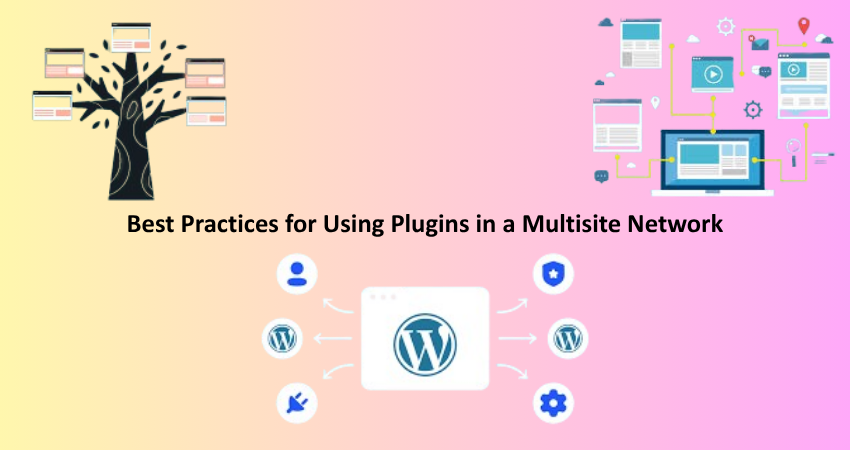
Among the various aspects that you need to consider in a Multisite network, plugin selection happens to be the most critical, and the ones to be opted for should ideally be ones that are specifically tagged as Multisite-enabled or recommended by trusted sources in a networked environment. Such plugins have been thoroughly tested on the basis of their working with the special database structure of the Multisite, on the model for permissions, and the ability to activate across the network. In the long run, you tend to have slowdowns, bugs, or in some severe cases, data leaks across sites due to reliance on poorly optimized plugins.
Typically, you could find plugins with high user ratings, active development, and clear documentation with mentions about WordPress Multisite. Examples of popular plugins that commonly work well in Multisite include Yoast SEO, WP Rocket, Wordfence Security, and UpdraftPlus. Besides that, there are lots of plugins that bestow Forced Multisite functionalities like synchronizing users between sites or central analytics dashboards. These plugins have the potential to improve the flow of your network and the experience for both network administrators and their users.
Test on a Staging Network Before Deployment
Test out new plugins in a staging area before pushing them network-wide. A staging area affords you a duplicate of your live Multisite network, where testing new plugins, updates and configuration is safe without it affecting live content. The functioning of plugins can vary quite greatly within a network as to that at a one-site setup. Testing then will become essential for AN considering the fact that such things will be detrimental to their compatibility or performance. This is not to say that problems will be arising at all with a plugin calling itself Multisite compatible, but it will also be updated or become incompatible with other plugins, resulting in different issues surfacing from what was expected.
Use version control or backup plugins to take recovery points before making changes. This is primarily essential to some plugins that change the schema of the database or alter user roles. Keep monitoring server performances and errors while testing plugins. A plugin may perform phenomenally on a single site and yet do a lot of damage in a Multisite network due to mismanagement of resources. This is especially useful to catch early signs of a developing problem before it affects the entire network. Once it passes the testing stage, that particular plugin can be rolled out to the live network without any worries.
Conclusion
WordPress Multisite is a very powerful functionality which will really simplify the work of managing multiple websites to a great extent when used correctly. It offers centralized control, resource sharing, and the ability to scale efficiently, but introduces some fresh challenges, especially when it comes to plugin support. By understanding various plugin activation types, testing for compatibility and best practices, you can help yourself avoid the pitfalls and ensuring maximum benefit from such a powerful platform.
Whether you are creating a client network, department networks, or SaaS products, Multisite will provide the excellent flexibility as well as control if done right with the plugin strategy. Just keep in mind that the success of a multisite depends a lot on careful planning, wise selection of plugins, and active testing. If you have these things in place, you will be quite well set up to do a multisite network that can grow with your business for years to come.